


Why add mobile data to your iPad?

At home, abroad and anywhere in between – a single plan lets you get online in 60+ countries worldwide, with no costly roaming fees

Purchase and install a data plan wherever you are - no internet connection required. Simply book a plan via your iPad and get online instantly with 4G/5G data speeds

From calling family to joining meetings on-the-go, do it all on a secure and fast network. All our plans work alongside your current provider
A BetterRoaming data plan can be installed in just a few minutes via the settings app on your iPad. Find out how in our easy-to-follow guide below. Before you add a plan to your iPad, check that it supports eSIM - most iPads built after 2018 will.
The following iPad models support BetterRoaming data plans:
- - iPad Pro 11-inch (1st gen or later)
- - iPad Pro 12.9-inch (3rd gen or later)
- - iPad Air (3rd gen or later)
- - iPad (7th gen or later)
- - iPad Mini (5th gen or later)
If you’re not sure which model of iPad you have, find out here.
Please also ensure that your iPad is running iPadOS 11 or later. For best results, we recommend updating your device to the latest iPadOS.
How to install
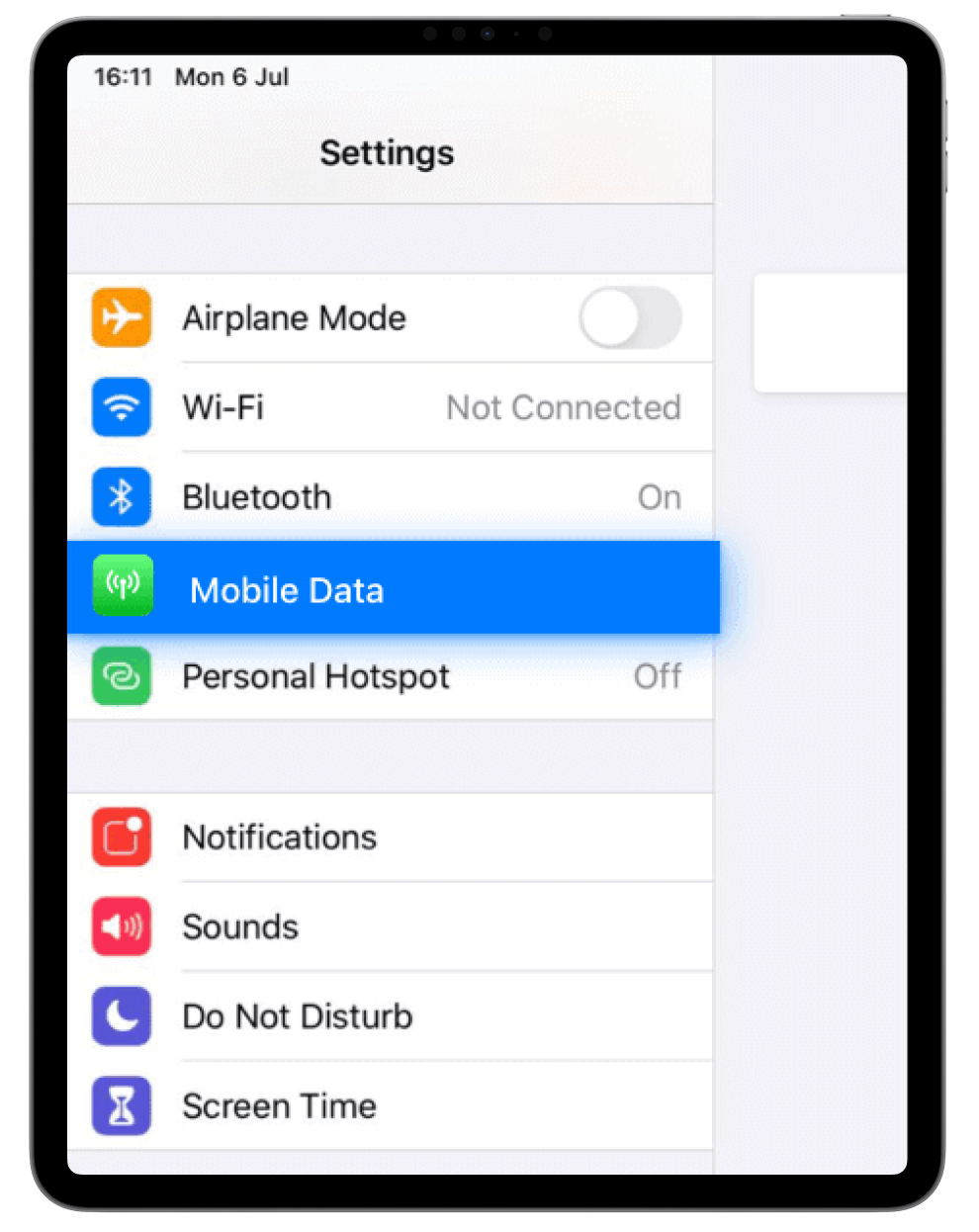
01.Open the Settings app on your iPad and select Cellular/Mobile Data
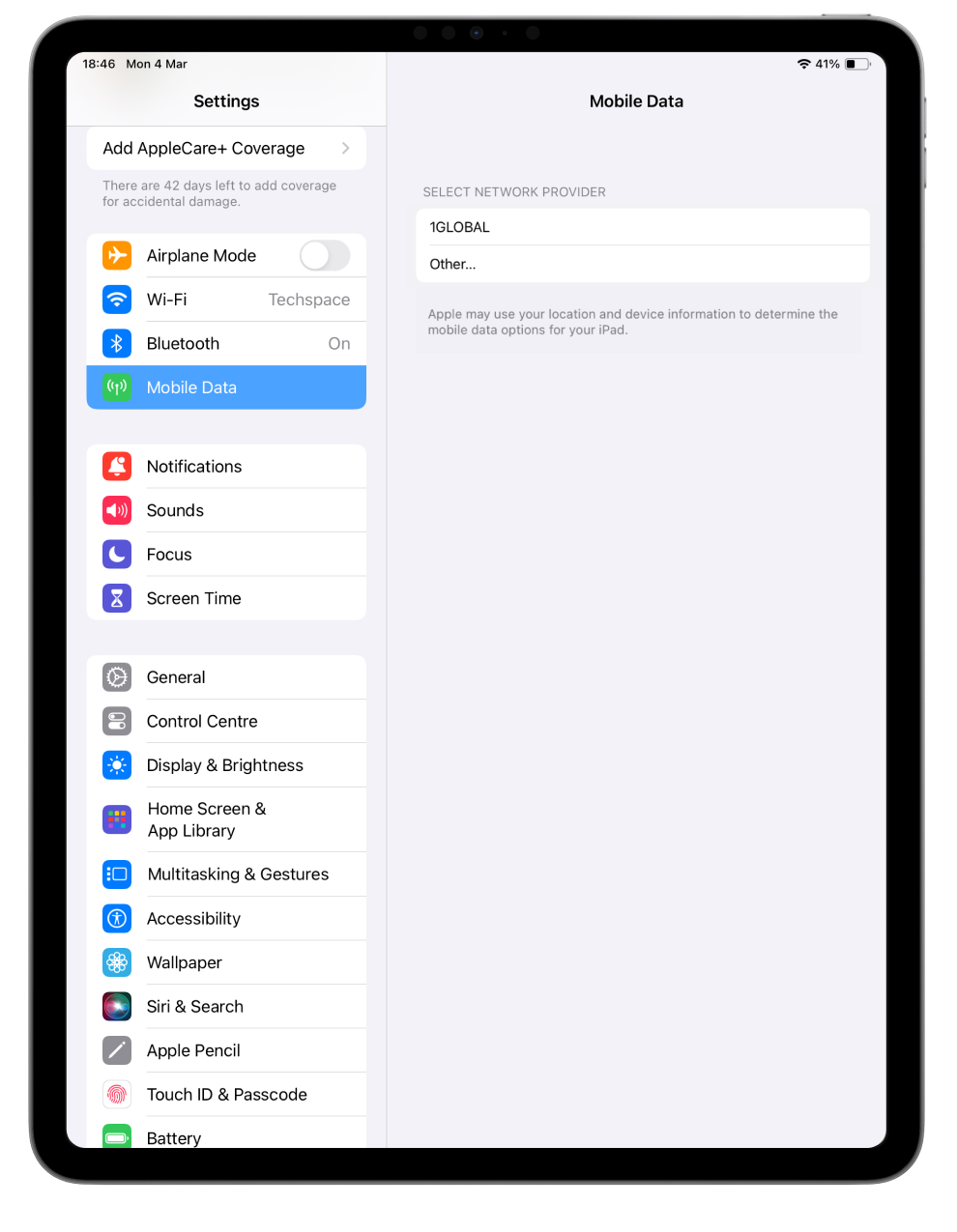
02.Select 1GLOBAL as your network provider
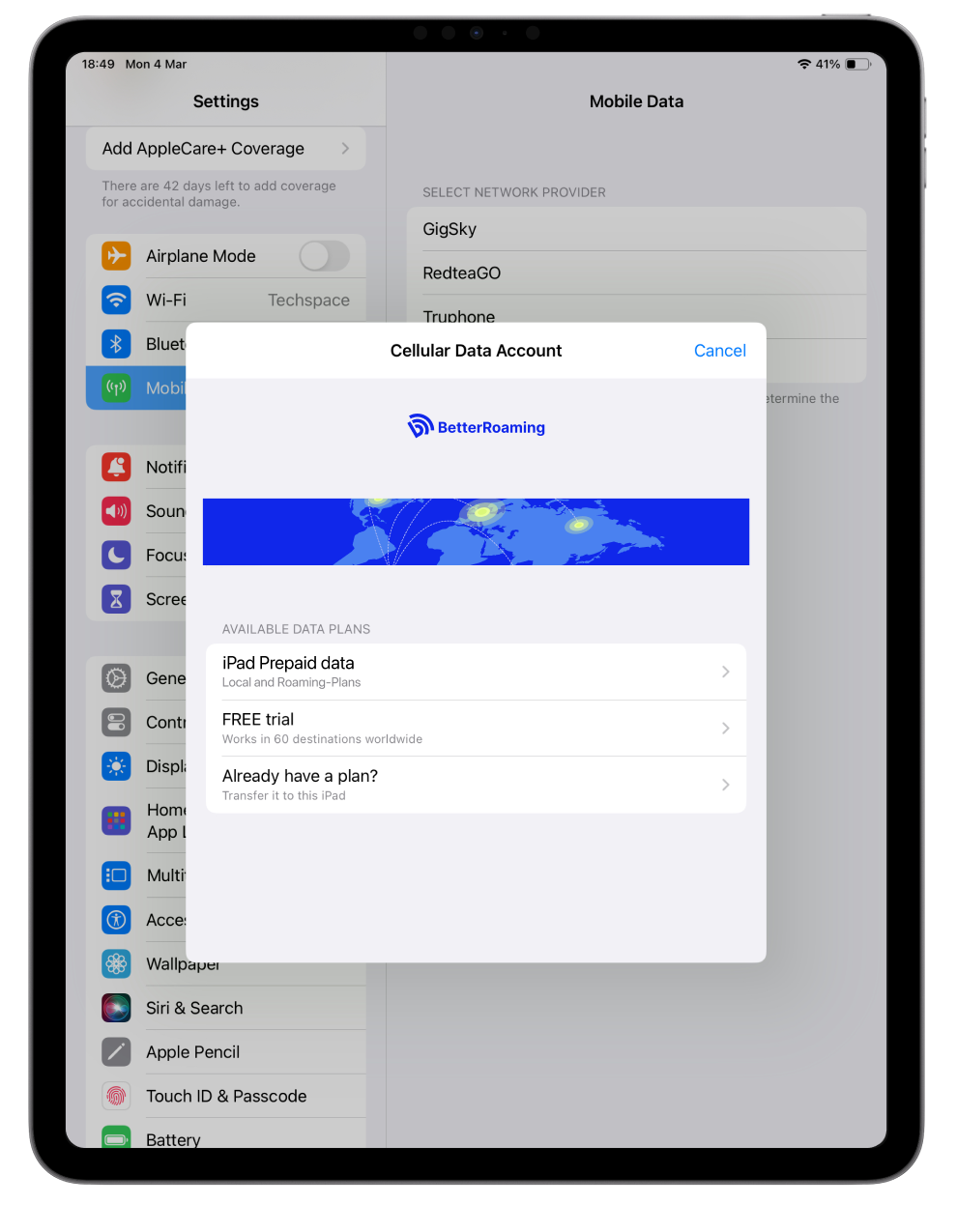
03.Choose if you want to book a data plan or try a free trial
If you already have an active plan on another iPad, you can also select 'Transfer to this iPad'
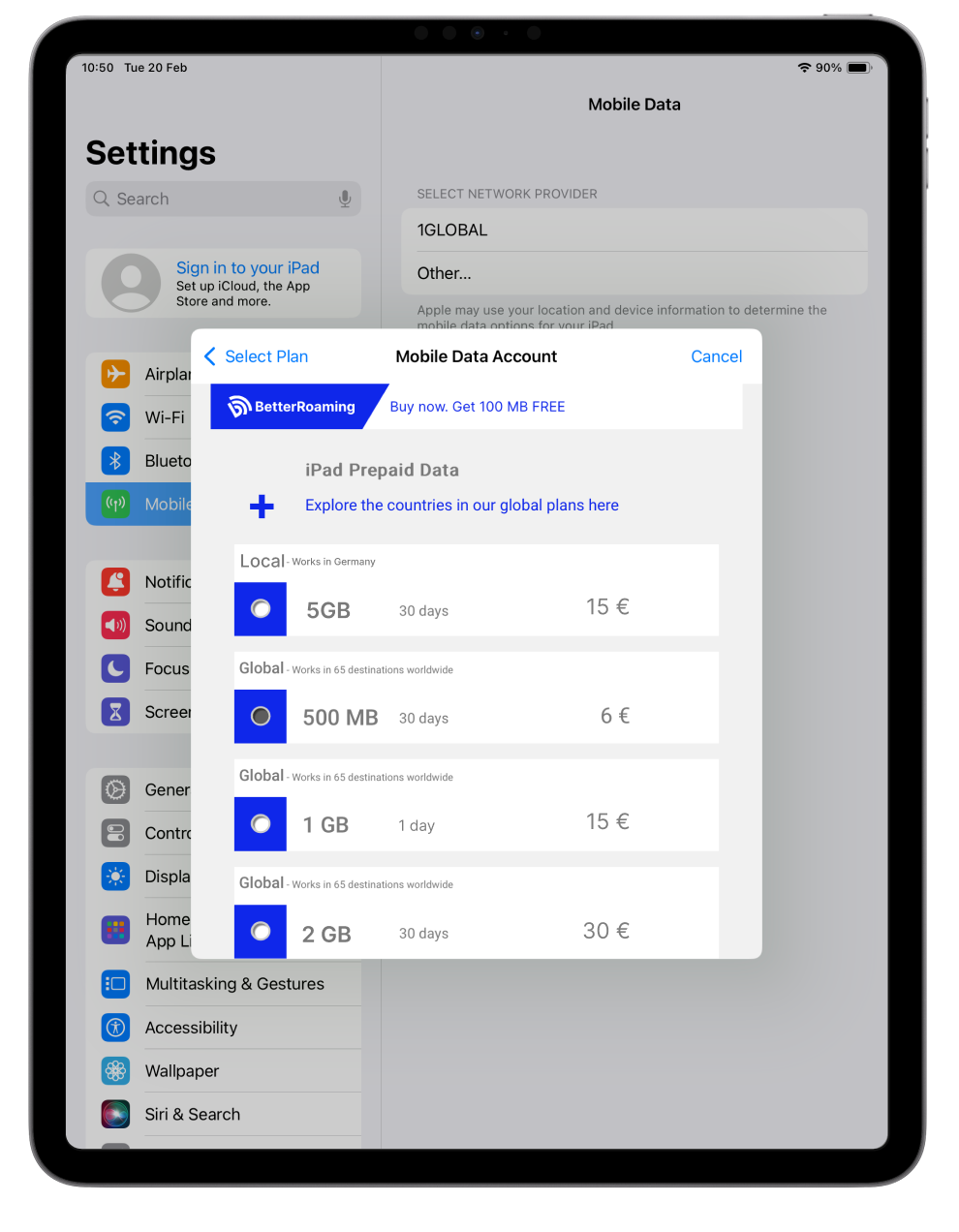
04.If you select a prepaid plan, choose the volume of data you require
Free trials receive 100MB of data
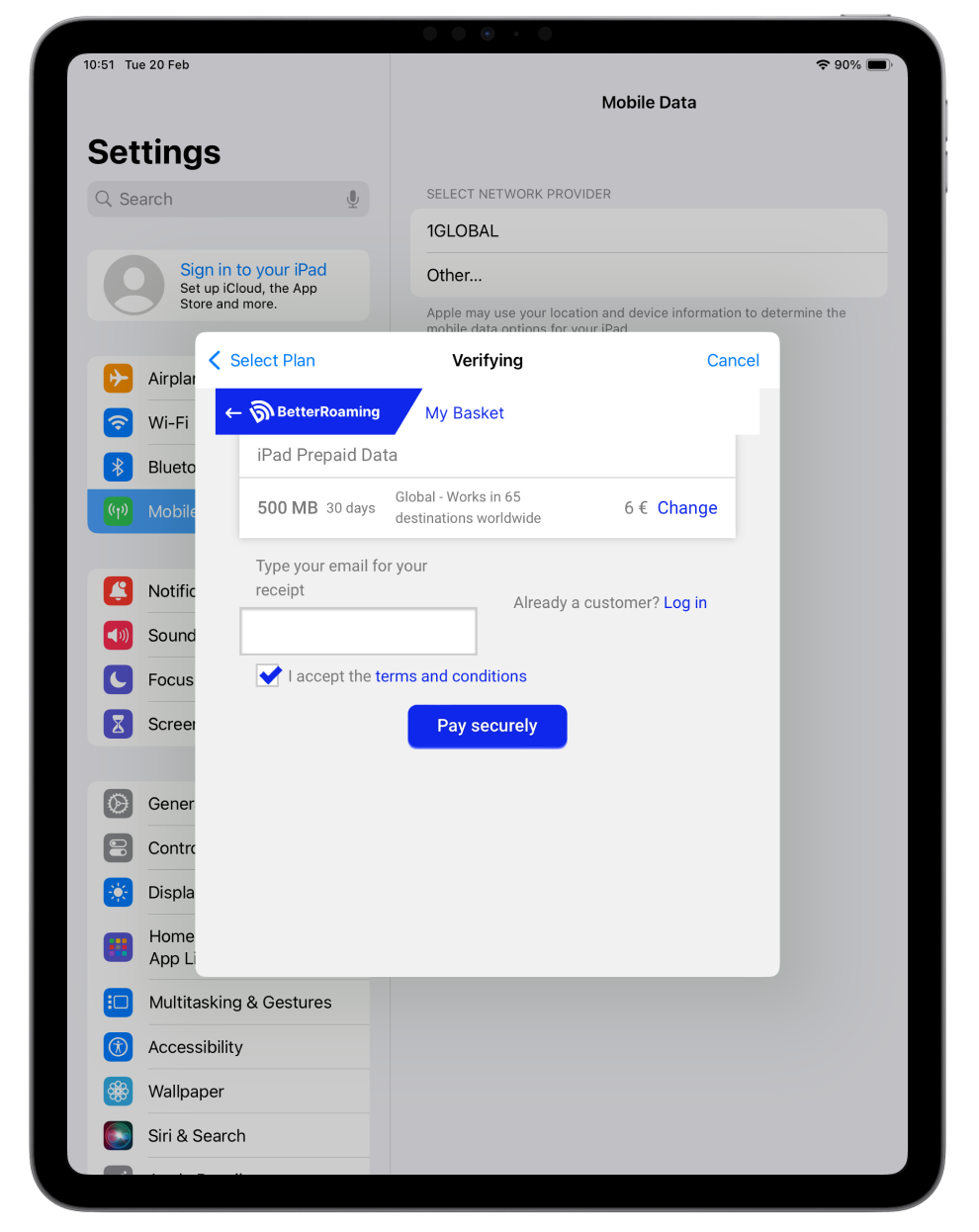
05.Enter your email address and select Pay Securely
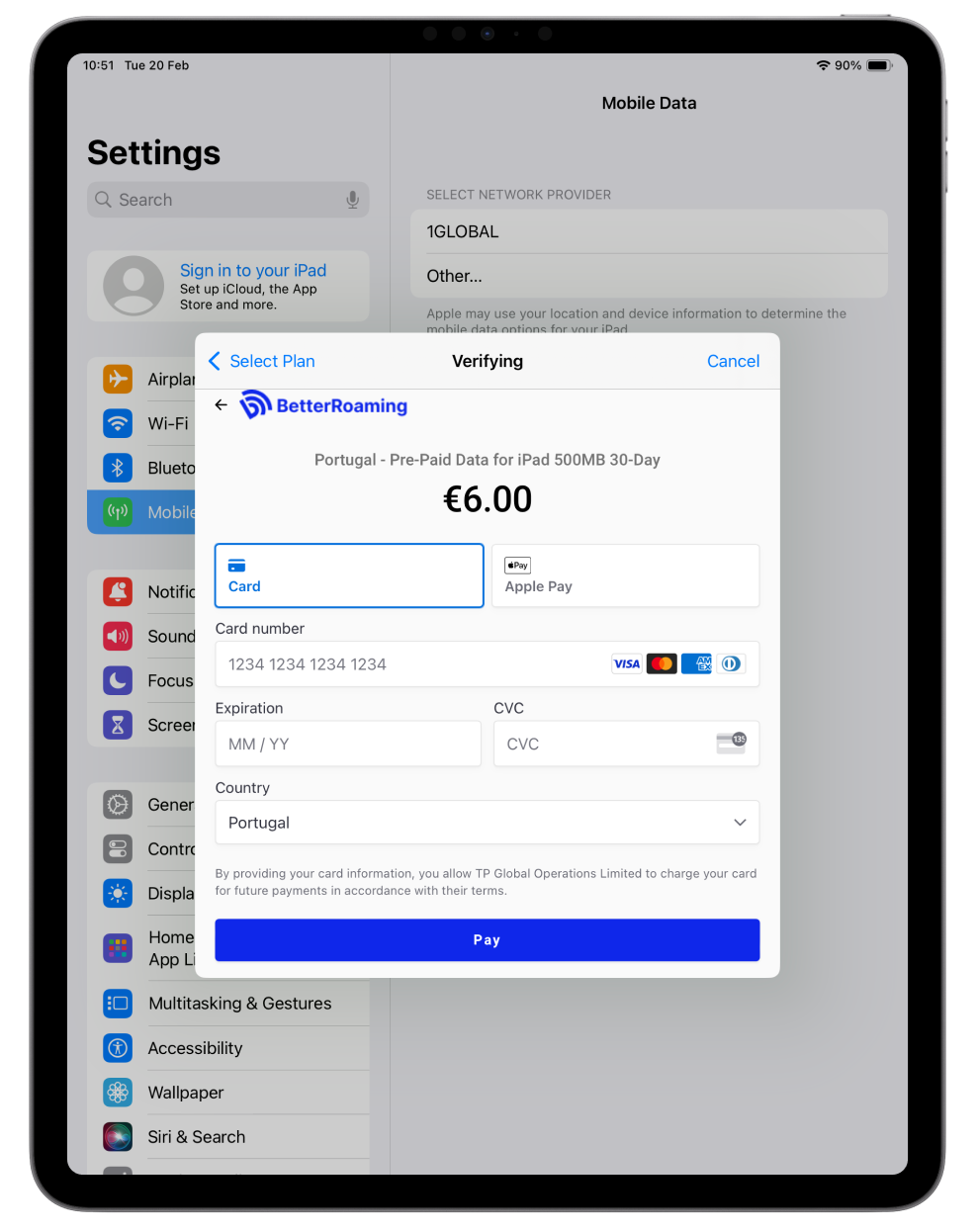
06.Enter your payment details and tap Pay
If you have selected a free trial, you don't need to enter any payment info
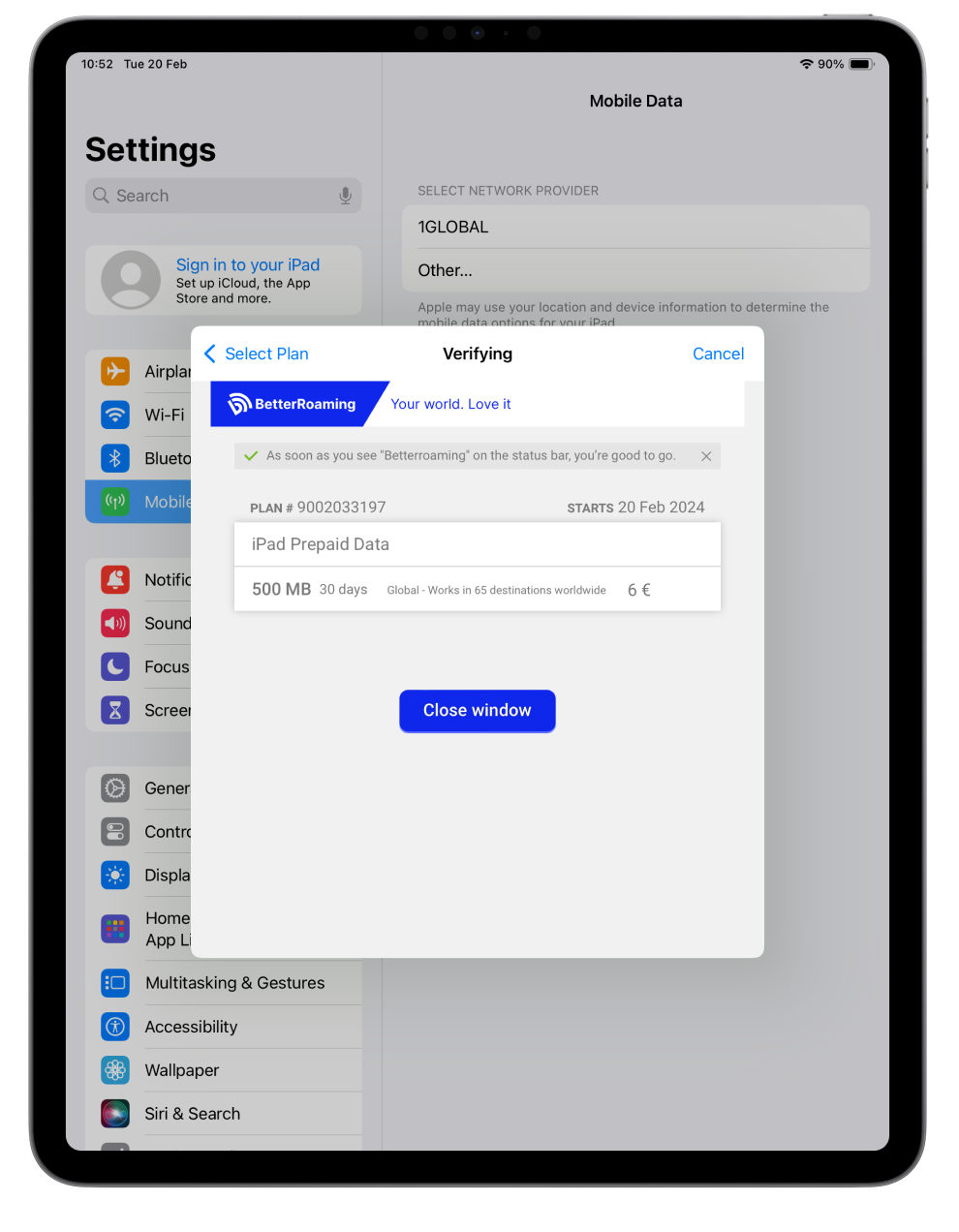
07.You should get connected in a few seconds
Once connected, you will see BetterRoaming in the status bar at the top-left of your screen


